> ## Documentation Index
> Fetch the complete documentation index at: https://docs.deshima.cloud/llms.txt
> Use this file to discover all available pages before exploring further.
# 税務情報に関するインタビュー
> AWS Marketplace Management Portalでの税務情報に関するインタビューの入力手順を解説します
**ソース**: [Seller registration process](https://docs.aws.amazon.com/marketplace/latest/userguide/seller-account-registering.html) — Tax information section
## 始めに行うこと(税務情報に関するインタビュー)
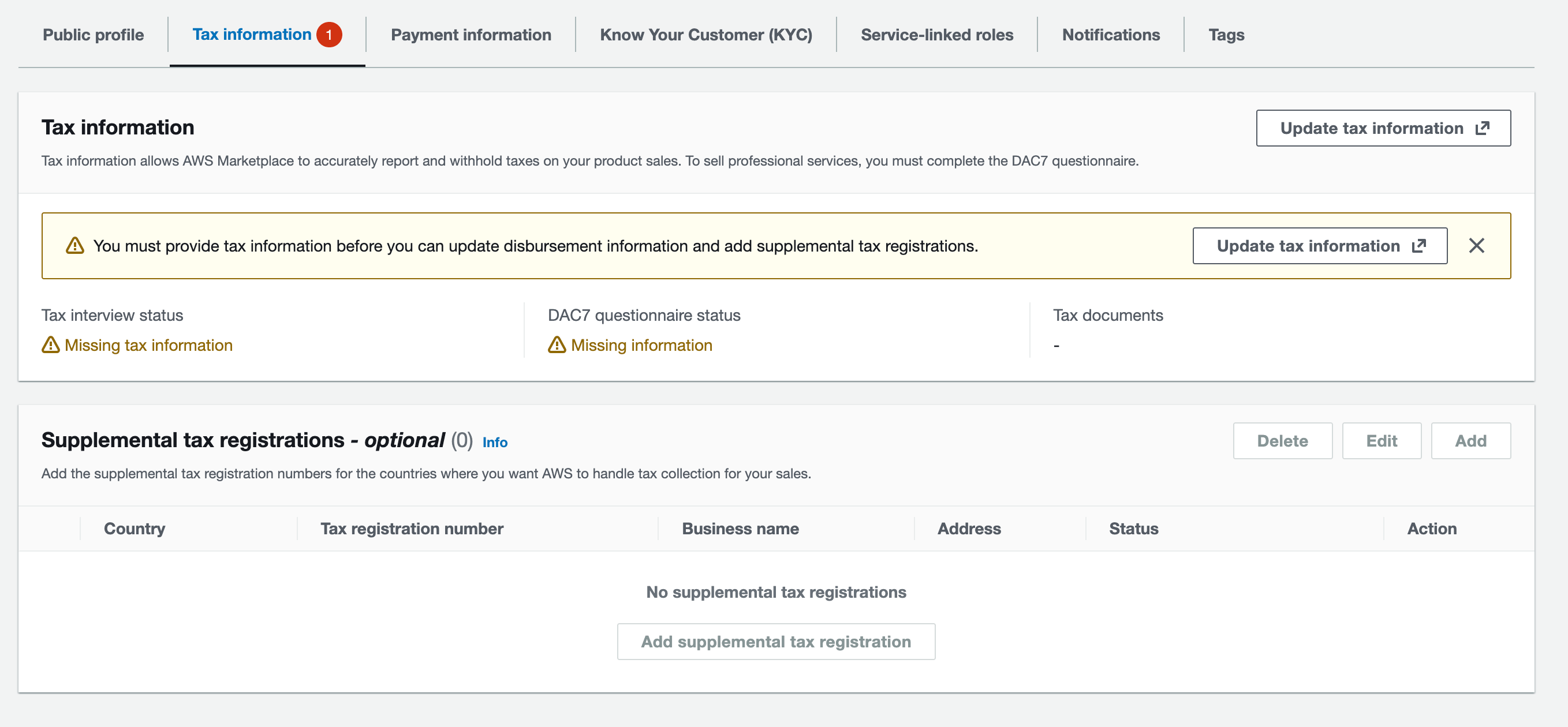
AWS Marketplace Management PortalのSettingsページから、`Tax Information`を開いてください。
`Update tax information`を押下して税務情報に関するインタビューの入力を始めます。
 `Select Language`にて`Japanese`を選択することで日本語表記で入力を進めることが出来ます。
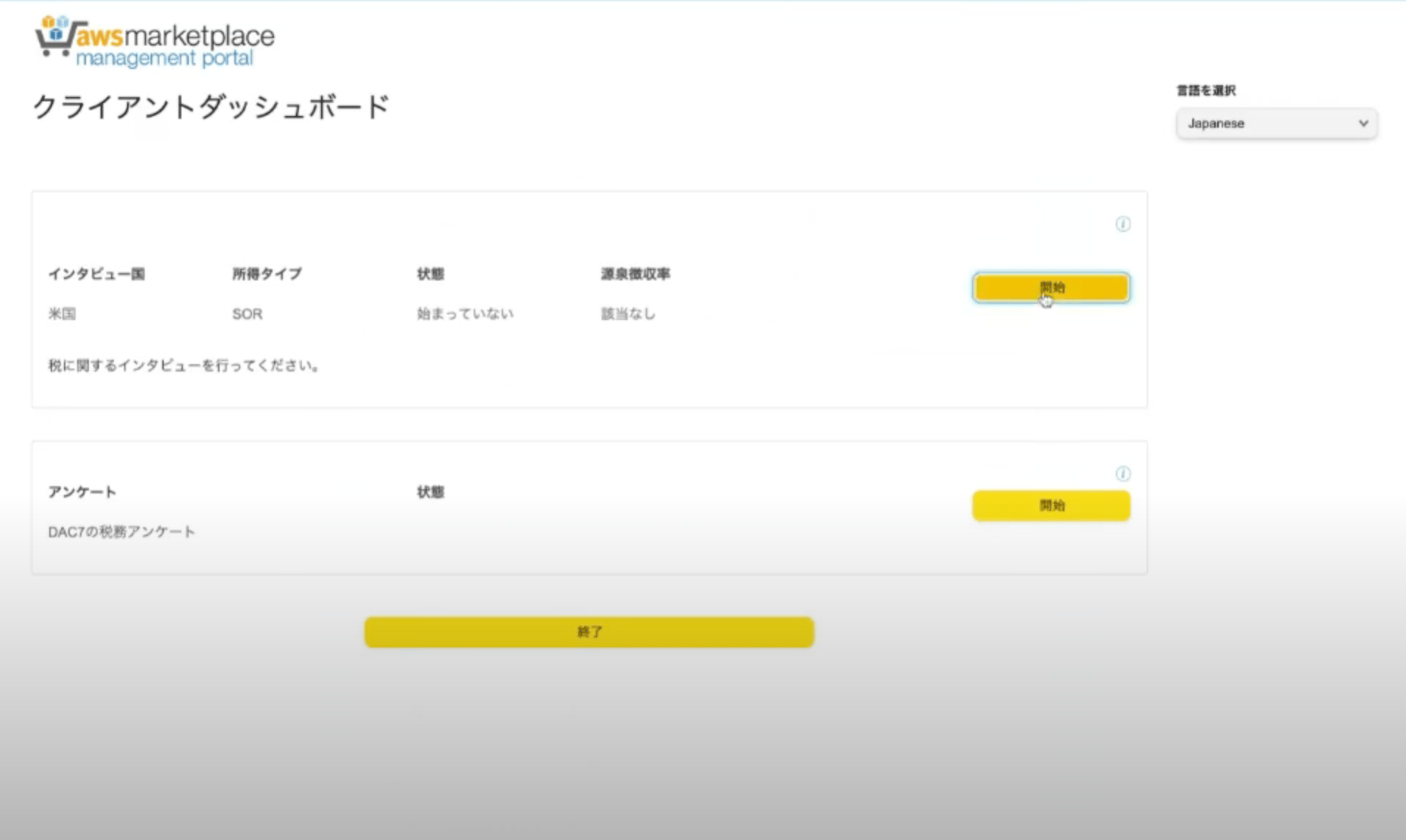
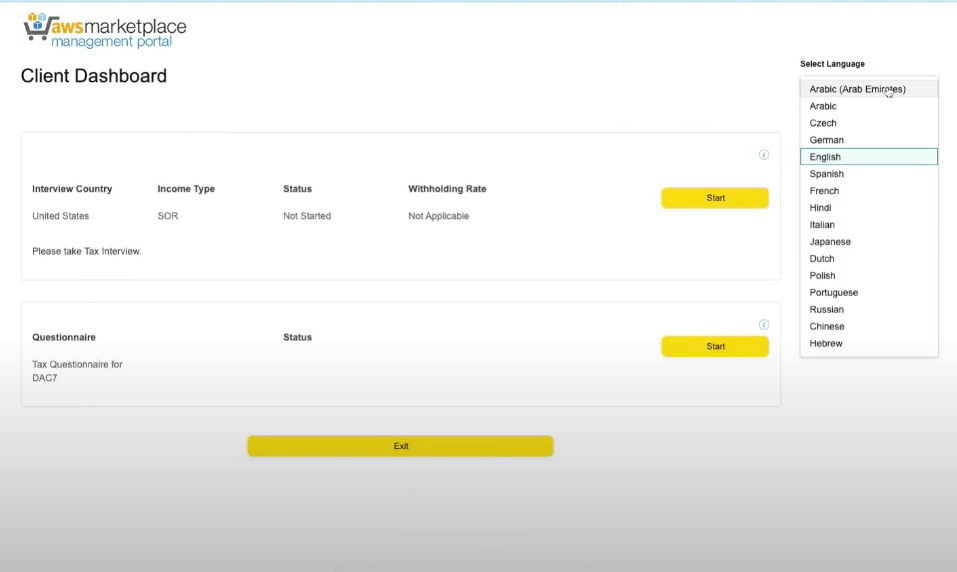 税務情報に関するインタビューで`開始`ボタンを押下します。
 質問項目を入力していきます。
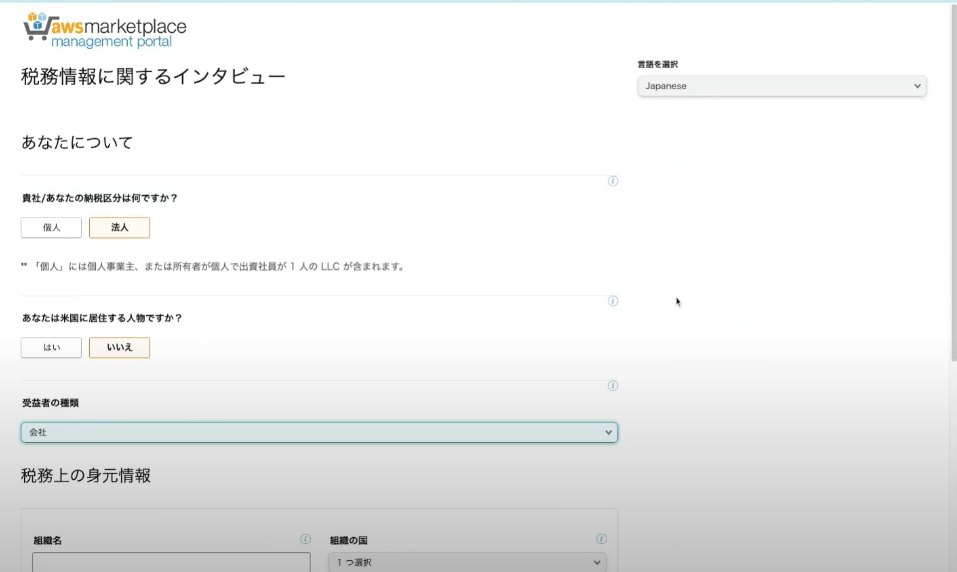 税務上の身元情報の設定
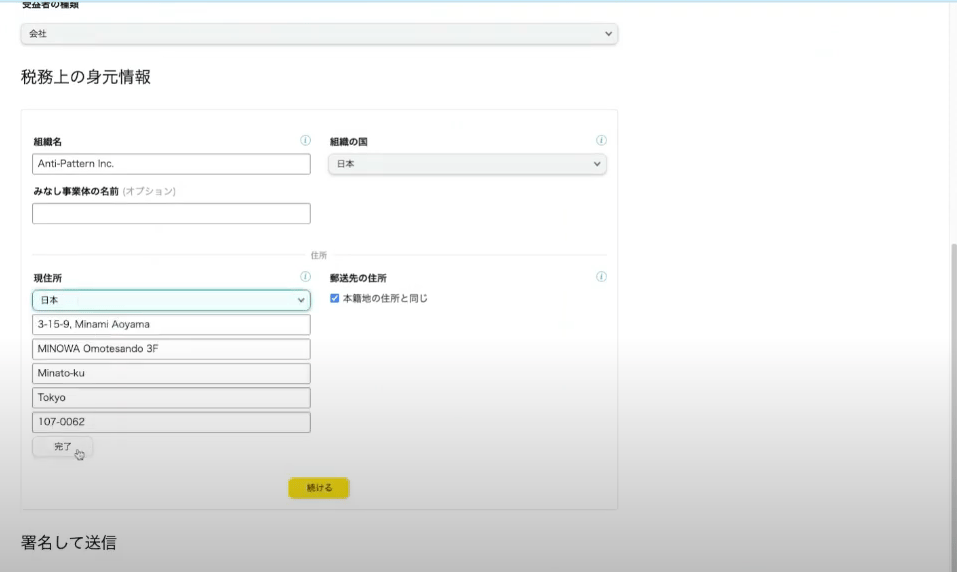
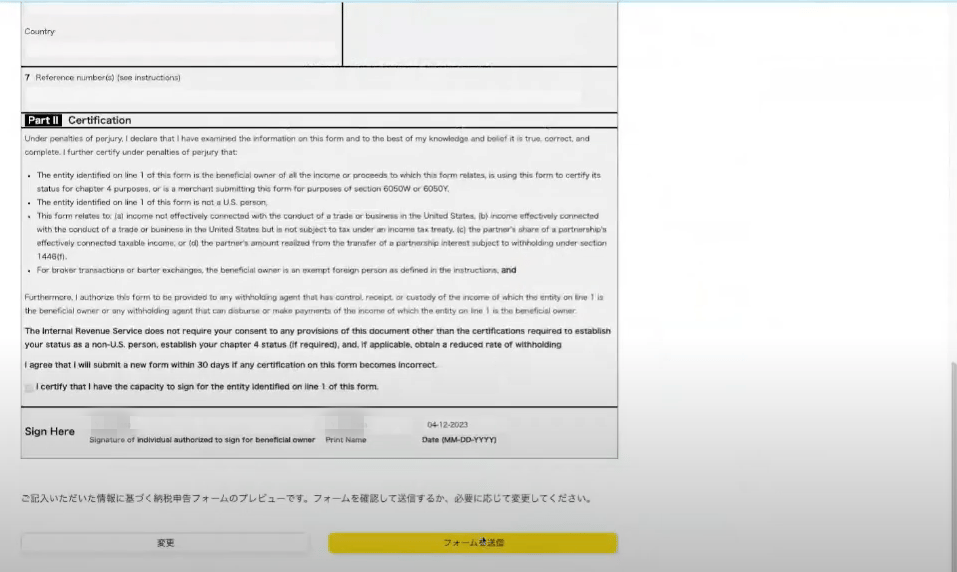
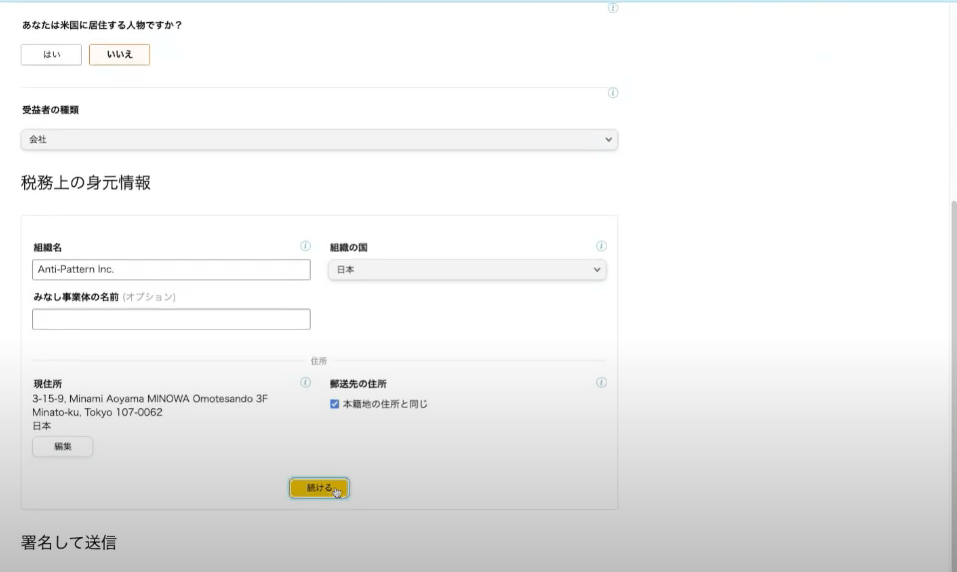 署名(氏名を入力)しプレビューにて内容を確認します。
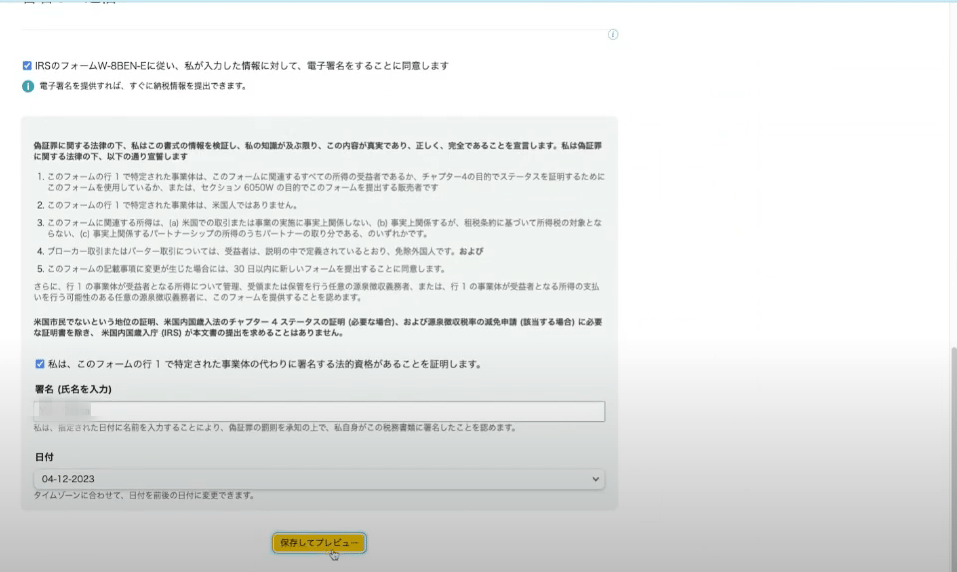 **米国で課税されないように、日本の納税者である事を申告するフォーム**
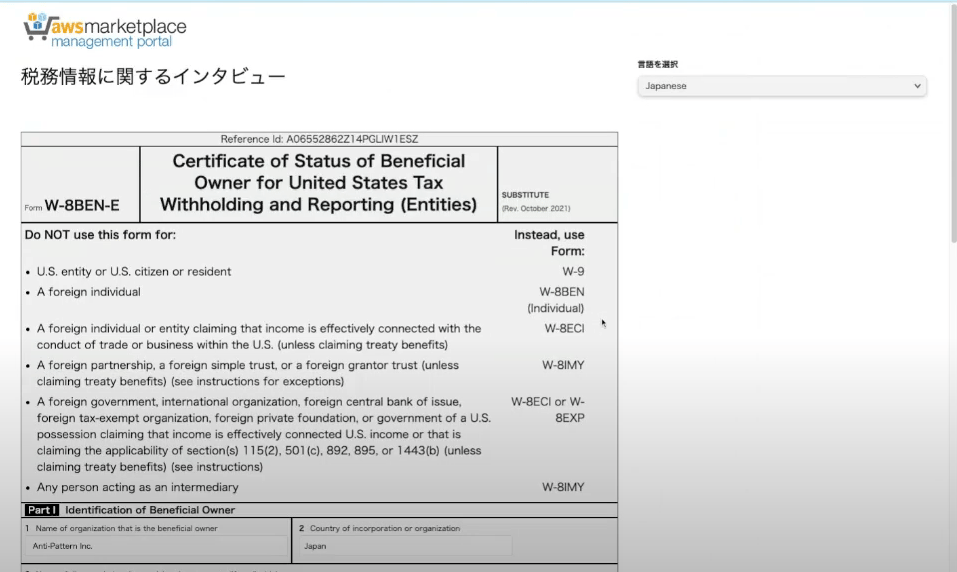 内容確認後、`フォームを送信`ボタンを押下し提出します。
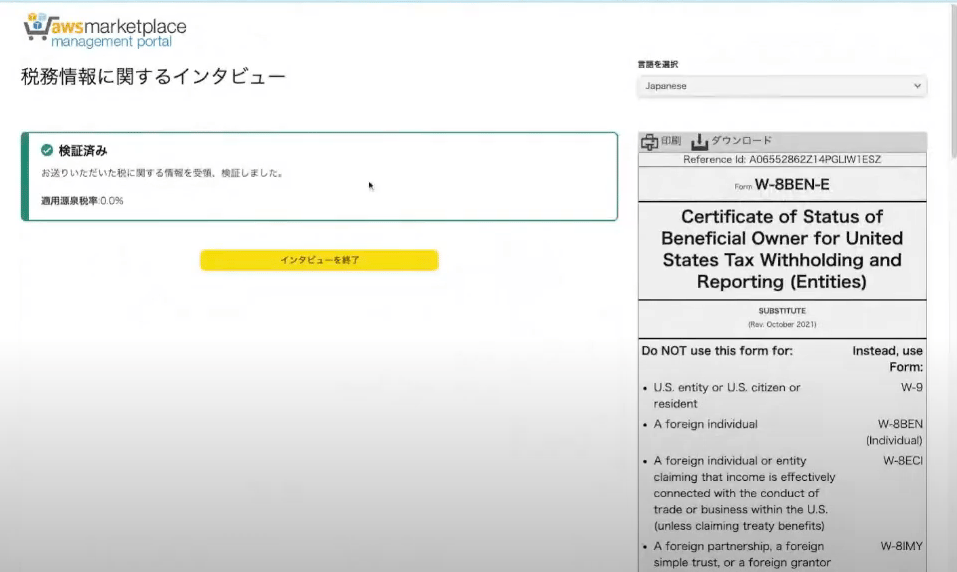
 送信完了し、税務情報に関するインタビューを終了します。
 ## DAC7の税務アンケート
DAC7とは企業からの課税報告に関するEU理事会指令のことです。
この指令は、欧州連合内の子会社、支配企業、持分法適用会社、共同事業体、および分散会社による課税報告義務を課しています。
海外の支配下の企業での事業拡大や新規事業の開始によって国内の課税軽減を図ることを防ぐため、課税に関する情報の共有が必要とされています。
DAC7の税務アンケートの開始を押下します
## DAC7の税務アンケート
DAC7とは企業からの課税報告に関するEU理事会指令のことです。
この指令は、欧州連合内の子会社、支配企業、持分法適用会社、共同事業体、および分散会社による課税報告義務を課しています。
海外の支配下の企業での事業拡大や新規事業の開始によって国内の課税軽減を図ることを防ぐため、課税に関する情報の共有が必要とされています。
DAC7の税務アンケートの開始を押下します
 貴社の状況に合わせ以下アンケートをお答えください。
 アンケート回答後署名して送信ボタンを押下しアンケートを終了します。
 クライアントダッシュボードで`インタビューを終了`を押下して税務情報に関するインタビューを終了します。
 ## 日本の消費税(JCT)対応(2025年4月1日〜)
**ソース**: [Getting started as an AWS Marketplace seller](https://docs.aws.amazon.com/marketplace/latest/userguide/user-guide-for-sellers.html) — Japan (JCT) section
2025年4月1日より、日本で販売されるAWS Marketplace製品について、**AWS Japanが10%の日本消費税(JCT)の徴収・納付と適格請求書(TQI)の発行**を行います。日本を拠点とするISV(Special Agency rule)の場合、手続きは次のとおりです。
* **AWS Japanが実施**: 顧客からのJCT徴収、AWS JapanのJCT番号(T6011001106696)でのTQI発行、徴収したJCTのISVへの支払い(ディスバース)
* **ISV(日本拠点)が実施すること**:
1. AWS Marketplace Management Portal に**日本の法人番号**と\*\*適格請求書発行事業者登録番号(JCT登録番号)\*\*を入力する
2. Portal上のTQI情報を用いて、徴収されたJCTを**日本の税務当局(JTA)へ納付**する
二重課税・二重請求を避けるため、上記に該当する場合、ISV自身でのJCTの徴収・納付やTQIの発行は行わないでください。
日本国外を拠点とするISV(Specified Platform Taxation rule)の場合は、AWS JapanがJCTの徴収・TQI発行・納付までを行うため、ISV側でのJCT徴収は不要です。税務上の取扱いは事業形態により異なるため、最終的な対応は貴社の税務顧問にご確認ください。
## 次のステップ
税務情報に関するインタビューが完了したら、割賦販売法に基づくKYC確認に進みます。
日本を拠点とする事業者に必須のKYC確認
## 日本の消費税(JCT)対応(2025年4月1日〜)
**ソース**: [Getting started as an AWS Marketplace seller](https://docs.aws.amazon.com/marketplace/latest/userguide/user-guide-for-sellers.html) — Japan (JCT) section
2025年4月1日より、日本で販売されるAWS Marketplace製品について、**AWS Japanが10%の日本消費税(JCT)の徴収・納付と適格請求書(TQI)の発行**を行います。日本を拠点とするISV(Special Agency rule)の場合、手続きは次のとおりです。
* **AWS Japanが実施**: 顧客からのJCT徴収、AWS JapanのJCT番号(T6011001106696)でのTQI発行、徴収したJCTのISVへの支払い(ディスバース)
* **ISV(日本拠点)が実施すること**:
1. AWS Marketplace Management Portal に**日本の法人番号**と\*\*適格請求書発行事業者登録番号(JCT登録番号)\*\*を入力する
2. Portal上のTQI情報を用いて、徴収されたJCTを**日本の税務当局(JTA)へ納付**する
二重課税・二重請求を避けるため、上記に該当する場合、ISV自身でのJCTの徴収・納付やTQIの発行は行わないでください。
日本国外を拠点とするISV(Specified Platform Taxation rule)の場合は、AWS JapanがJCTの徴収・TQI発行・納付までを行うため、ISV側でのJCT徴収は不要です。税務上の取扱いは事業形態により異なるため、最終的な対応は貴社の税務顧問にご確認ください。
## 次のステップ
税務情報に関するインタビューが完了したら、割賦販売法に基づくKYC確認に進みます。
日本を拠点とする事業者に必須のKYC確認