> ## Documentation Index
> Fetch the complete documentation index at: https://docs.deshima.cloud/llms.txt
> Use this file to discover all available pages before exploring further.

# セラー登録ガイド

> AWS Marketplaceへ出品者として登録する手順を解説します

<Info>
  **ソース**: [Registering as a seller on AWS Marketplace](https://docs.aws.amazon.com/marketplace/latest/userguide/seller-account-registering.html)
</Info>

## セラー登録を開始する

<a href="https://aws.amazon.com/marketplace/partners/management-tour" target="_blank">AWS Marketplace</a>へ出品者として登録をします。

上記リンクで表示されるページの`Register now`から登録を開始してください。
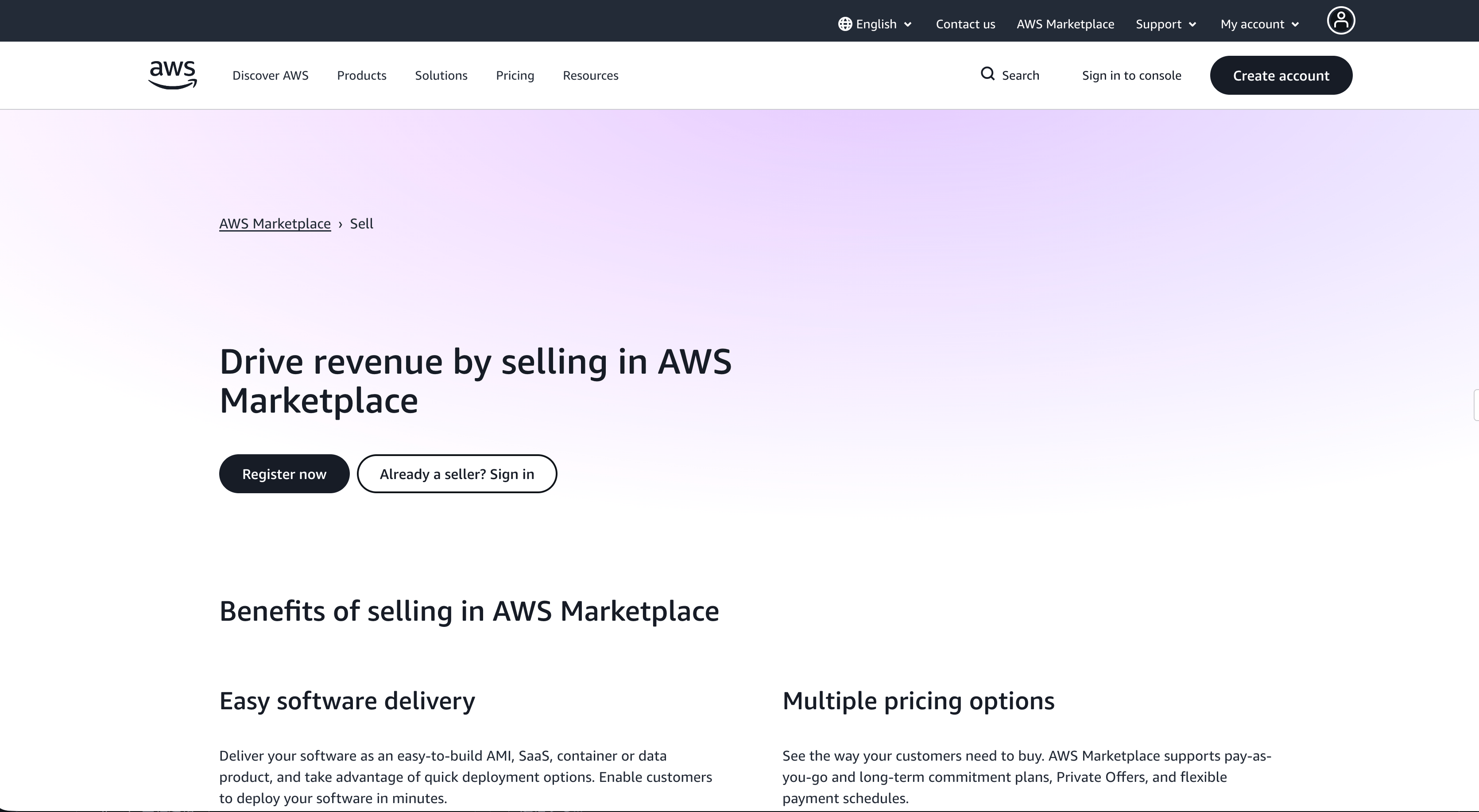
<img src="https://mintcdn.com/testcompany-3c7d778f/GxRrWFFBcyRkOC8j/images/guide/phase1/seller-registration/aws-marketplace-seller-registration-1.png?fit=max&auto=format&n=GxRrWFFBcyRkOC8j&q=85&s=47746f9040842bdb681836085bdeeabb" alt="aws-marketplace-seller-registration-1" width="3340" height="1834" data-path="images/guide/phase1/seller-registration/aws-marketplace-seller-registration-1.png" />

## 登録情報の入力

AWS Marketplaceのセラー登録の画面へ遷移しますので、
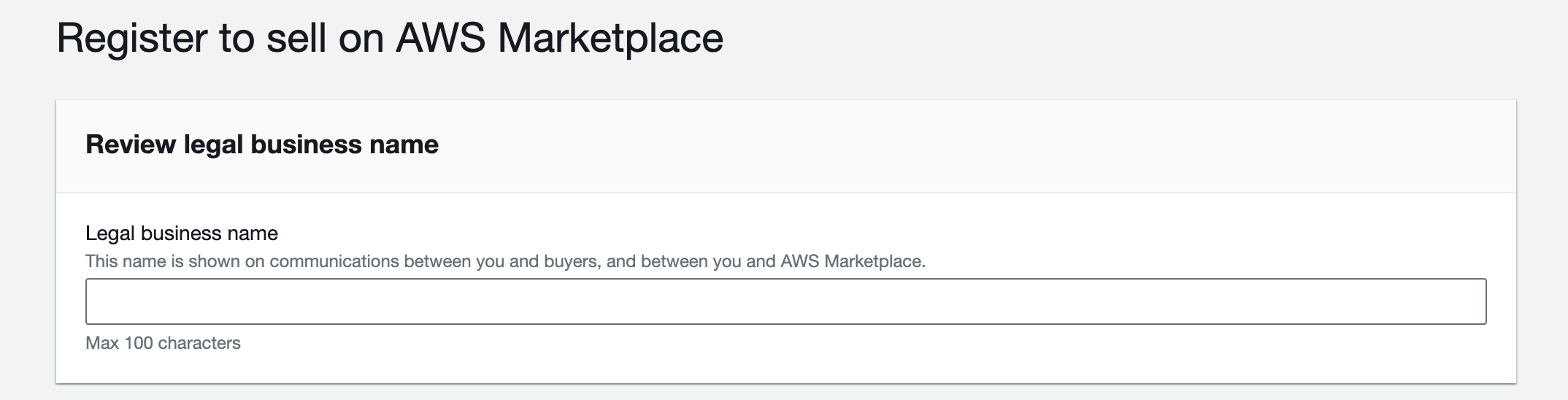
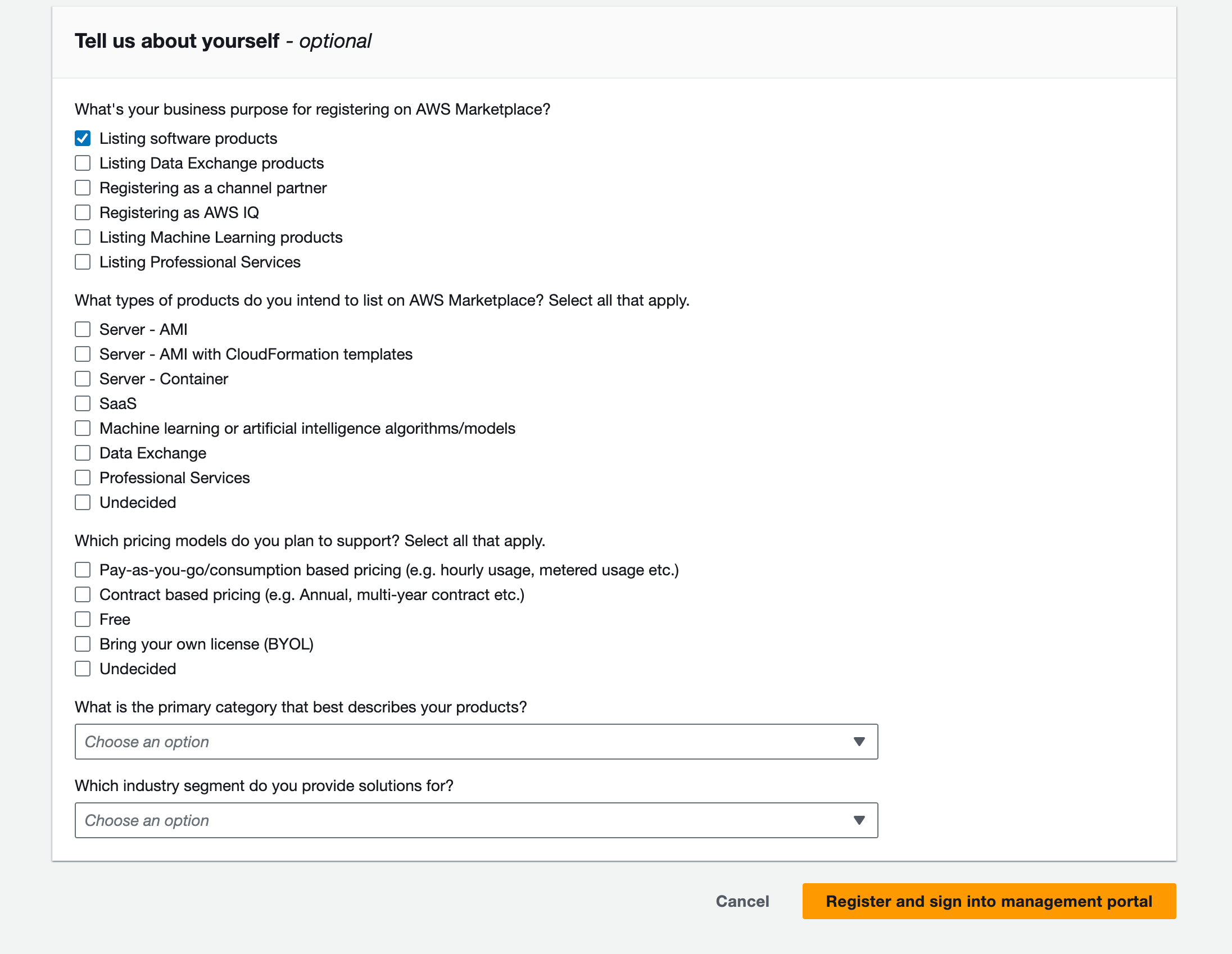
「Review legal business name」の入力、「Tell us about yourself」の回答（任意）を実施してください。

<img src="https://mintcdn.com/testcompany-3c7d778f/GxRrWFFBcyRkOC8j/images/guide/phase1/seller-registration/aws-marketplace-seller-registration-2.png?fit=max&auto=format&n=GxRrWFFBcyRkOC8j&q=85&s=a6e405a0214ae13fd19aa95ae7a3aa53" alt="aws-marketplace-seller-registration-2" width="2148" height="548" data-path="images/guide/phase1/seller-registration/aws-marketplace-seller-registration-2.png" />

<img src="https://mintcdn.com/testcompany-3c7d778f/GxRrWFFBcyRkOC8j/images/guide/phase1/seller-registration/aws-marketplace-seller-registration-3.png?fit=max&auto=format&n=GxRrWFFBcyRkOC8j&q=85&s=56e4c12af4aee5e9d43969a5040a56d5" alt="aws-marketplace-seller-registration-3" width="2192" height="1698" data-path="images/guide/phase1/seller-registration/aws-marketplace-seller-registration-3.png" />

## 登録の完了

「Register and sign into management portal」を押下後、
少し待つとAWS Marketplace Management Portalの設定ページが表示されます。これでセラーアカウントの登録は完了です。
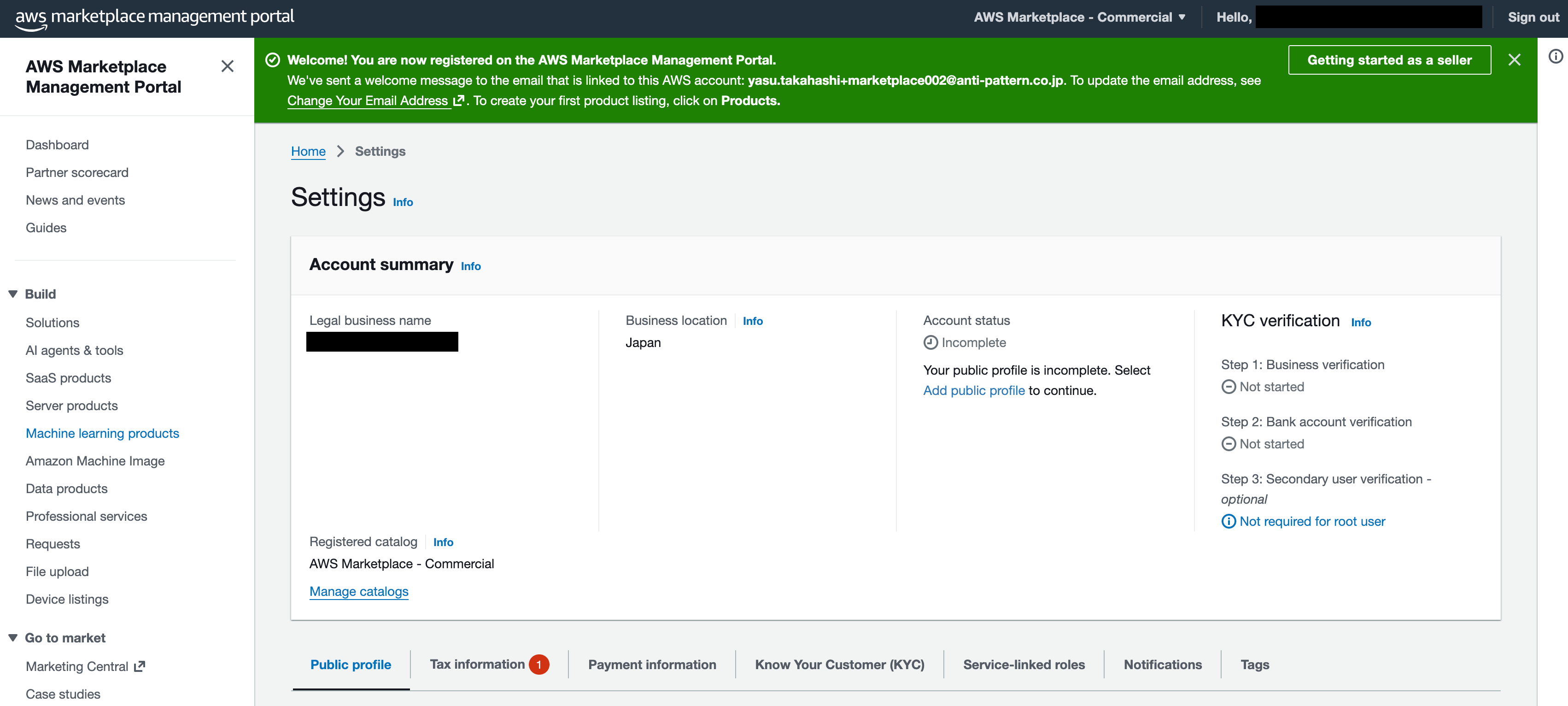
<img src="https://mintcdn.com/testcompany-3c7d778f/GxRrWFFBcyRkOC8j/images/guide/phase1/seller-registration/aws-marketplace-seller-registration-4.png?fit=max&auto=format&n=GxRrWFFBcyRkOC8j&q=85&s=5248544ab7b76324fc82589fb311f62c" alt="aws-marketplace-seller-registration-4" width="3404" height="1532" data-path="images/guide/phase1/seller-registration/aws-marketplace-seller-registration-4.png" />

## 次のステップ

登録後は公開プロフィール（Public Profile）の設定に進みます。

<img src="https://mintlify.s3.us-west-1.amazonaws.com/testcompany-3c7d778f/images/guide/phase1/seller-registration/aws-marketplace-seller-registration-6.png" alt="aws-marketplace-seller-registration-6" />

詳しい手順は[公開プロフィールの設定](/guide/phase1/public-profile)を参照してください。